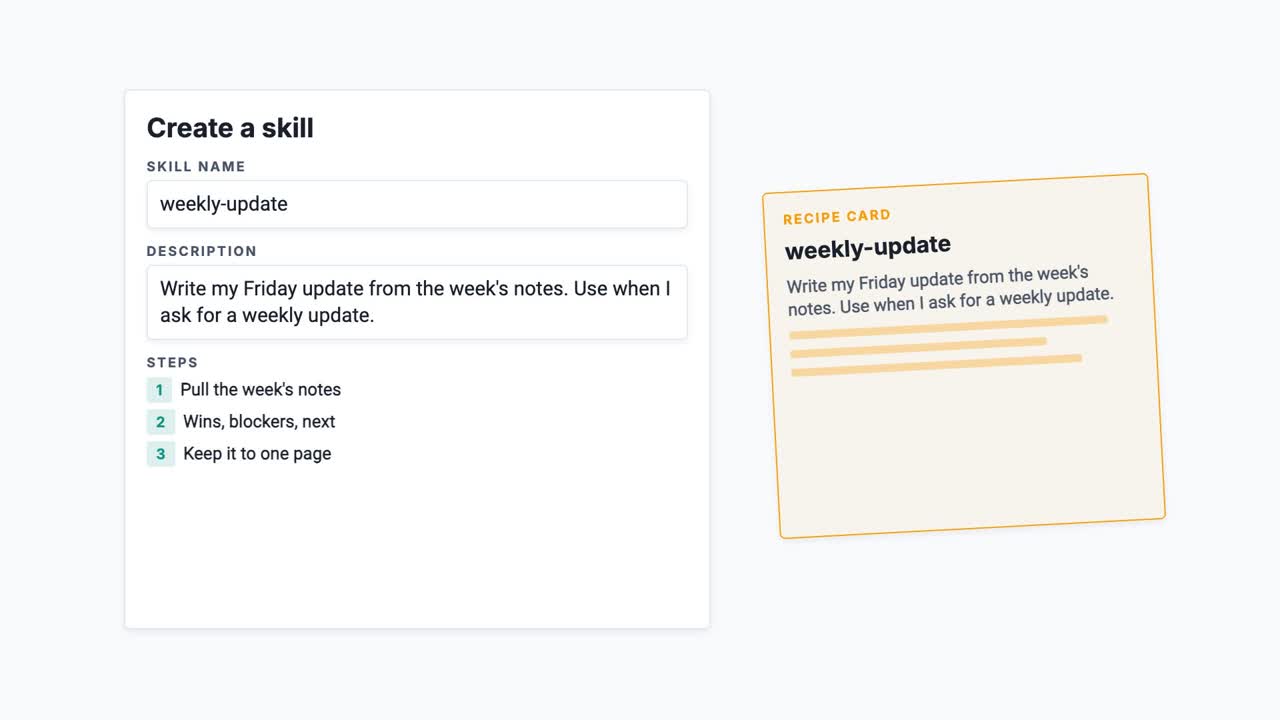
Every new chat starts empty, so you end up explaining how you like things done all over again. A skill is how you stop.
This one covers what a skill actually is: a folder with one plain text file in it, holding a name, a description and your steps. Code is optional, and most simple skills have none. It also covers the part people get wrong, which is the description. That’s what the AI reads to decide whether to reach for the skill at all, so writing it like a title means it may never fire.
Skills have been an open standard since December 2025, so the same folder works across tools rather than locking you into one. Each tool sets them up its own way, so check its own guide before you start.
Figures checked in September 2026. This is an independent explainer, not affiliated with Anthropic, OpenAI, GitHub or Google.
Transcript
Every Friday you write the same update. It needs wins, blockers, and what's next, on one page. So you type those instructions into a new chat, and next week you type them again, because every new chat starts empty. A skill is how you stop repeating yourself.
A skill is a folder with one file in it. That file holds a name, a description, and your steps, written in plain text. Think of it as a recipe card. The title tells you when to reach for it, and the card itself lists the steps.
Making one is less work than it sounds. In Claude's app there's a panel for it in your settings. In the coding tools it's a folder in your project. Either way, all you are writing is plain text.
So how is that different from a prompt? A prompt is typed for one conversation, and then it's gone. A skill is saved once, and the AI picks it up whenever the job matches. You write it down instead of typing it out.
The description is the part people get wrong. It has to say what the skill does and when to use it. Write it like a title, and the AI may never reach for it. Write it like a trigger, and it reaches for it at the right moment.
That's also where the recipe card stops. You decide which recipe to cook. The AI decides which skill to use, and the description is how it knows.
Say you've saved ten skills, and you haven't used any of them yet. How much room are they taking up?
Almost none. About a hundred tokens each, which is just the name and the description. The steps only load when a skill is actually needed. Everything the AI can see at once has to fit in one window, and skills you haven't used barely touch it.
Here's the real win. The same steps run every time. Your weekly update comes back in the same shape on a Monday as it does on a Friday, and you never rewrite the instructions.
And because a skill is just text in a folder, you can share it. Send it to a colleague and they get your way of working. Keep it in version control and you can see what changed, and put it back when it goes wrong. On team plans, an owner can hand one to everybody at once.
This isn't one company's idea either. Skills are an open standard, so the same folder works in Claude, in ChatGPT, in Copilot and in Gemini's command line tool. It's mostly the developer tools for now, but the format is shared. Each one sets them up its own way, so check that tool's own guide before you start. Write a skill once and it travels.
So, what is a skill? It's your steps, saved once, that the AI picks up when the job matches. Next time, what happens when a skill brings its own files with it.