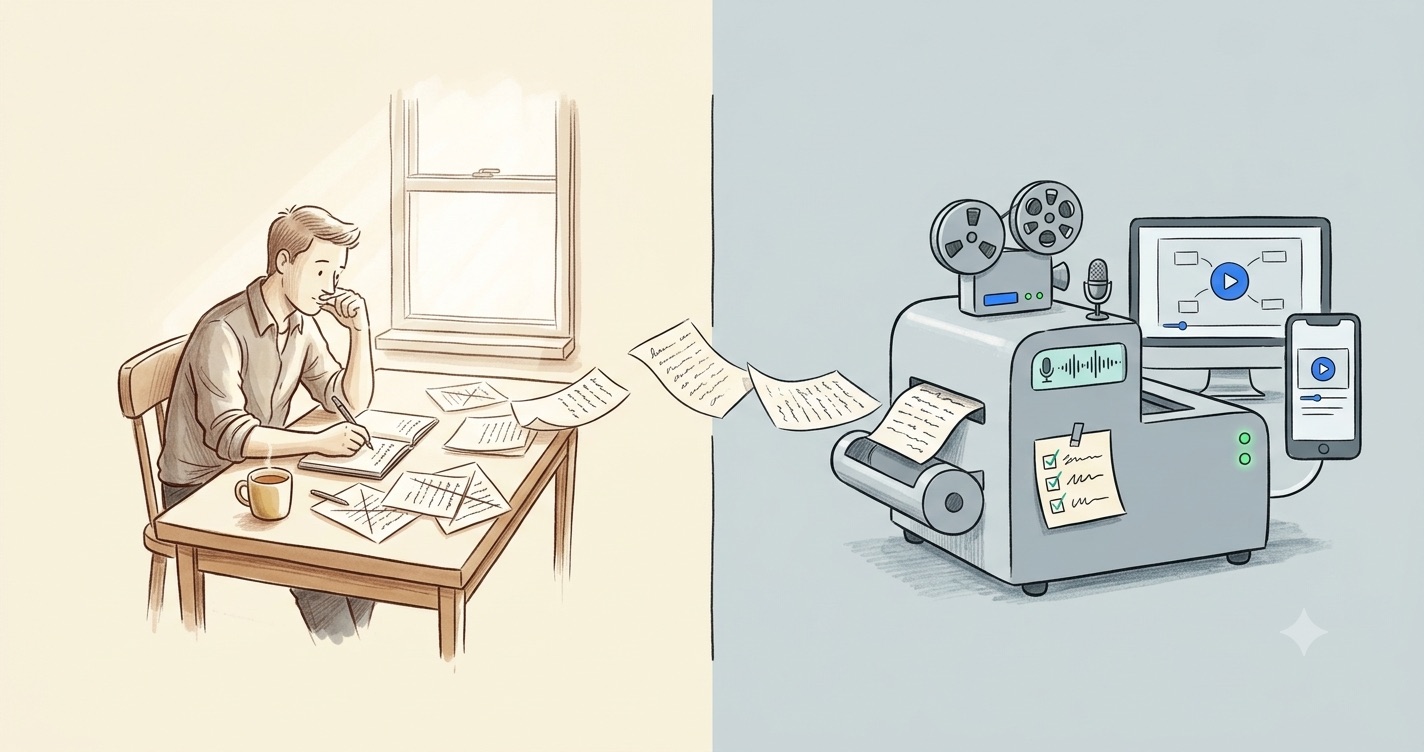
I’ve written a lot about AI on this site. Principles, frameworks, the odd rant. What I hadn’t done was explain how the thing actually works, in a form someone could take in between meetings.
Video is the obvious format. It’s also the expensive one. A good thirty-second explainer needs a script, a voiceover, animation that lands on the right word, a phone version, subtitles and consistent sound. I don’t have a studio, or the time.
So I built a pipeline instead. It now makes every video in the Learn section of this site.
What it does
I write a script in a plain text file: scenes, the exact words to say, and what should appear on screen. The engine does the rest.
- It narrates each scene in a locally generated clone of my own voice.
- It measures every clip and works out, to the frame, how long each scene runs.
- It renders two videos from the same script, one for desktop and one for phones.
- It writes the subtitles from the script’s own words, so every term is spelt right.
Two tools do the heavy lifting. Voicebox, an open-source voice studio, generates the narration, and Remotion turns code into video, frame by frame. Everything runs on my Mac. No subscriptions, and my voice never leaves my machine.
I built the first version with Claude Code over two days, and the five-part AI Fundamentals series came out the other end.
That’s the headline. It’s also the least interesting part.
Lesson one: measure, don’t guess
My first version timed the animations by estimate. At roughly 2.8 words a second, a diagram described in the third sentence should appear about six seconds in.
It was wrong by seconds. Narration speed varies from take to take, and a diagram that appears before it’s mentioned is noise. One that appears after it is worse.
Now nothing is estimated. Every duration comes from the audio, and every animation starts on the sentence that names it. Even the end card waits for the last word to finish, which sounds trivial until a soft word like “underneath” gets clipped.
If it can be measured, don’t let anyone guess it. Including you.
Lesson two: the machine hears what I stopped noticing
The voice is a clone of mine, made from a recording of me. The model behind it is Qwen3-TTS, 1.7 billion parameters, from Alibaba’s Qwen team, and it runs through Voicebox, a desktop app on my Mac. It won a side-by-side test of five voice engines. Every word is generated offline. No cloud, no API key, no per-minute bill.
For the most part, you can still tell it’s AI. But for something running entirely on my own machine, it’s genuinely impressive.
It also has a tell. Synthetic voices end statements like questions. Once you hear it, you can’t unhear it. Except that by the tenth listen, I could. I’d stopped noticing.
So the pipeline listens for me. Every take is transcribed locally and the pitch of every sentence ending is measured. A statement that rises gets re-recorded, up to three times, and the best take is kept. After re-takes, none of the sixteen sentence endings in the first cut of my MCP explainer rise. The Transformers video, which I’d passed by ear, has two out of fifteen.
It catches stranger things too. A 1.3-second pause in one take turned “That’s the gap MCP fills: the Model Context Protocol” into something that sounded like “MCP fills the Model Context Protocol”. Same words. Different sentence. The check flagged it. I’m not sure I would have.
It isn’t perfect. The transcription spells “adaptor” and “adopter” the same way, so a wrong vowel still needs ears. But ears get tired. Checks don’t.
Lesson three: a style guide you have to remember is a suggestion
I have a tone of voice document. UK English, no em dashes, none of the filler words that make everything sound like a press release, and every metaphor cleared with me before it’s used.
For the first five videos, it was a document. Which means it was followed when someone remembered it.
Now it’s a gate. Before a word is recorded, the engine checks the script against those rules and refuses to go on if it fails. It can’t record a metaphor I haven’t approved, because approval is a line in the script and the check looks for it. In video that matters more than in writing: a metaphor changed after recording costs a new take, new timings, a new render and new subtitles.
The rules didn’t change. The enforcement did.
Lesson four: I had length backwards
I started with a target: seventy words, thirty seconds. Short videos perform, so short it was. My first Transformers script ran to nearly a minute and was full of jargon, so I rewrote it at 43 seconds and felt good about it.
Then I read the research on how people learn from video. The famous “six-minute rule” turns out to measure how long people keep watching, not how much they learn. Splitting a lesson into short, meaningful chunks helps. Cutting the steps a beginner needs doesn’t. Rushing makes it worse, because spoken words are gone the moment they’re heard.
So on 14 September I dropped the targets. Length follows the idea. The MCP explainer I’m finishing now runs to nearly two minutes, because that’s what the idea needs.
Lesson five: local has a price
Running everything on my own machine isn’t free. It’s paid in a different currency.
Voicebox keeps every model it has ever loaded in memory, until the Mac starts swapping. Its built-in transcription crashed it twice, so that job moved to a separate local model. After a day and a half of uptime it once sat at 0% CPU for six minutes until I restarted it. Renders occasionally stall when the machine is busy.
Every one of those is now handled, documented, or both.
Why it’s worth it
It isn’t the speed, although that’s real. It’s that every lesson became a check.
When I found the rising endings, I didn’t make a note to listen harder. I added a test. When the tone rules slipped, I made them a gate. When the research said my length targets were wrong, I changed the rule and the tools with it. Each fix applies to every video that comes after it, and none of it depends on me remembering.
I set out to automate the tedious bits: timing, loudness, subtitles, renders. What I ended up with is my quality bar, written down and enforced. The judgement still happens. Once, instead of every time.
I’ve written before about AI quietly eroding hard-earned knowledge. This is the opposite case. Built this way, the tooling doesn’t replace the knowledge. It holds on to it.
The expensive problems in most organisations aren’t technology. They’re gaps in understanding. Training closes those gaps, and the engine makes each one cheaper to close.
Automate everything except the thinking.